


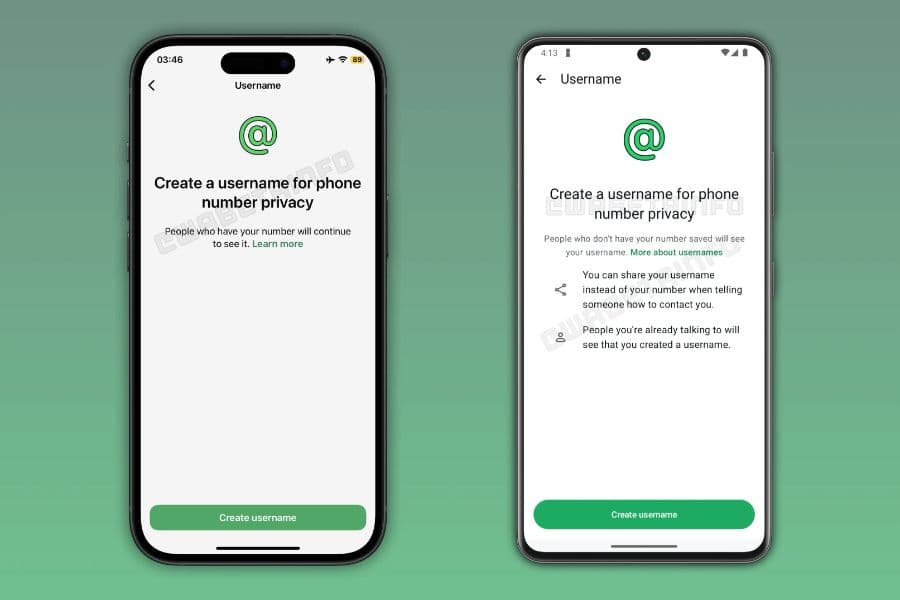
WhatsApp is set to introduce a username feature that will allow users to communicate without sharing their phone numbers.


Under the new feature, users will be able to create and share unique usernames, similar to handles used on Telegram and Instagram. When someone contacts a user through a username, only the handle will be visible instead of the phone number.
The username feature will be optional, allowing users to continue using WhatsApp in the current way if they choose.
Each account will be allowed to have one username, which can later be changed without affecting chats or account settings. However, phone numbers will still remain linked to accounts for login and recovery purposes, though they will stay hidden from users contacting through usernames.
How to Set a WhatsApp Username
1. Firstly, you need to open WhatsApp on your Android phone or iPhone.
2. Next, go to the Settings menu. On Android, tap the three-dot icon in the top-right corner and select Settings. On iPhone, tap the Settings tab at the bottom of the screen.
3. Then, tap your profile name at the top of the page to open your account details.
4. After that, select the Username option once it appears in the profile settings menu.
5. Now, enter the username you want to use for your WhatsApp account.
6. Your chosen username must be between 3 and 35 characters long, include at least one letter, and can only contain letters, numbers, periods, and underscores. It cannot start with "www", begin or end with a period, contain two periods in a row, or end with domain extensions such as .com, .org, or .in.
7. Once you enter a valid username, WhatsApp will automatically check whether it is available.
8. If the username is available, tap Save or Done to confirm your selection.
9. Finally, you can start sharing your WhatsApp username with others instead of giving out your phone number.
This feature will be especially useful if you often chat with people you do not know personally, such as buyers and sellers, community members, or new contacts. Instead of handing out your personal number, you can simply share your username.
WhatsApp recently started rolling out the username feature to some Android and iOS users. Once the feature becomes available, you will be able to decide whether you want people to find you by your phone number, your username, or both.